so文件动调

参考

https://blog.csdn.net/qq_39736559/article/details/127428932

参考正己师傅安卓so部分

需求:模拟器,apk的so文件,adb

1
2
3
4
5
6
7
8
9
10
11
12
13
14
15
16
17
18
19
20
21
22
23
24
25
26
27
28
29
30
31
32
33
34
35
36
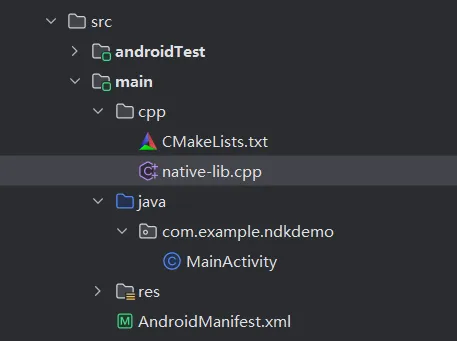
package com.example.ndkdemo;

import androidx.appcompat.app.AppCompatActivity;

import android.os.Bundle;
import android.widget.TextView;

import com.example.ndkdemo.databinding.ActivityMainBinding;

public class MainActivity extends AppCompatActivity {

// Used to load the 'ndkdemo' library on application startup.
static {
System.loadLibrary("ndkdemo");
}

private ActivityMainBinding binding;

@Override
protected void onCreate(Bundle savedInstanceState) {
super.onCreate(savedInstanceState);

binding = ActivityMainBinding.inflate(getLayoutInflater());
setContentView(binding.getRoot());

// Example of a call to a native method
TextView tv = binding.sampleText;
tv.setText(stringFromJNI());
}

/**
* A native method that is implemented by the 'ndkdemo' native library,
* which is packaged with this application.
*/
public native String stringFromJNI();
}
1
2
3
4
5
6
7
8
9
10
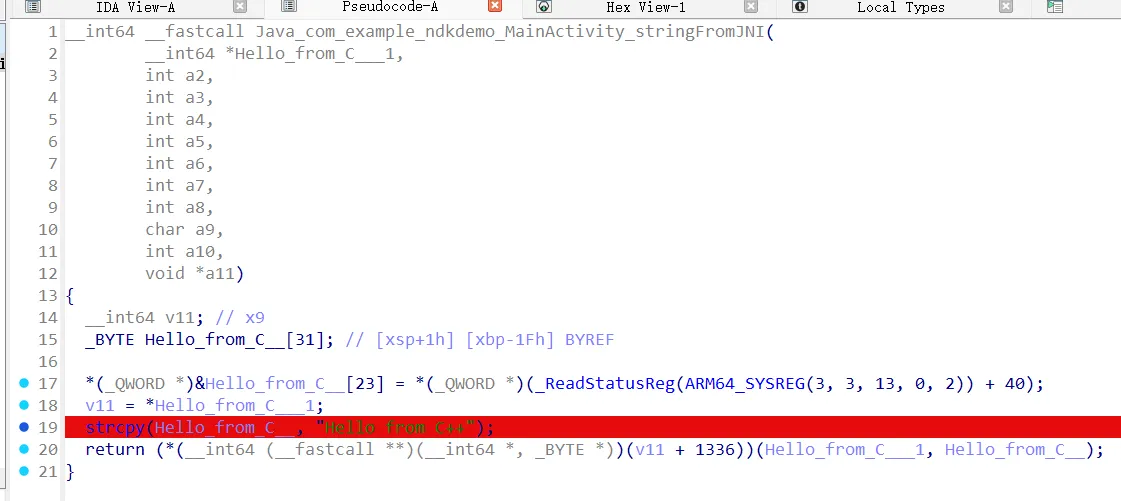
#include <jni.h>
#include <string>

extern "C" JNIEXPORT jstring JNICALL
Java_com_example_ndkdemo_MainActivity_stringFromJNI(
JNIEnv* env,
jobject /* this */) {
std::string hello = "Hello from C++";
return env->NewStringUTF(hello.c_str());
}

操作

1.adb push

1
2
3
4
5
6
adb push android_server /data/local/tmp 
adb shell
su
cd /data/local/tmp
chmod 777 android_server64
./android_server
绕过检测可改名as

2.另起终端转发端口

adb forward tcp:23946 tcp:23946

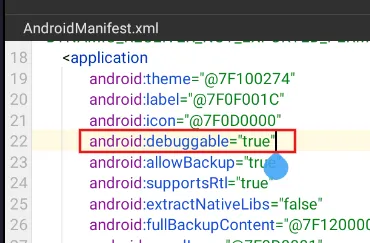
确保目的apk可调试

3.启动监听和应用

ddms配置: https://blog.51cto.com/u_16175489/13204226(笔者用其他方式代替了此步操作,见下文)

adb shell am start -D -n com.example.ndkdemo/com.example.ndkdemo.MainActivity

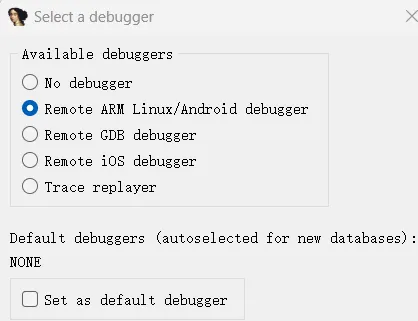
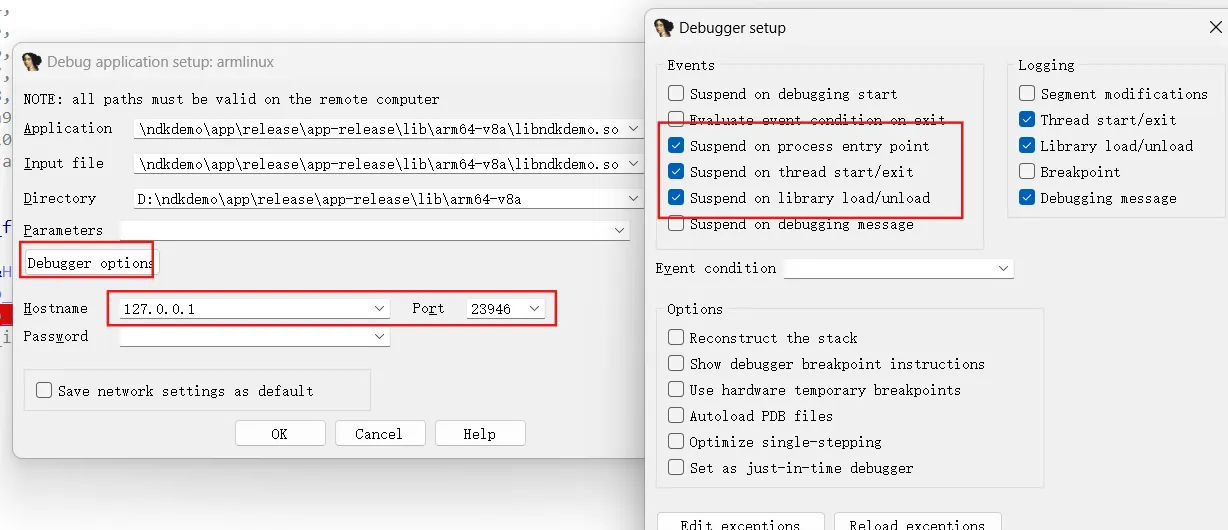
4.ida打开对应so文件

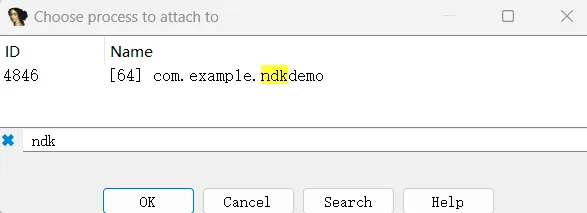
附加到调试进程,搜索ndkdemo

此时还无法调试,需要用jdb让程序继续运行

5.打开DDMS查看端口号,使用jdb进行附加

正常这步就是借助ddms确定运行demo的端口号

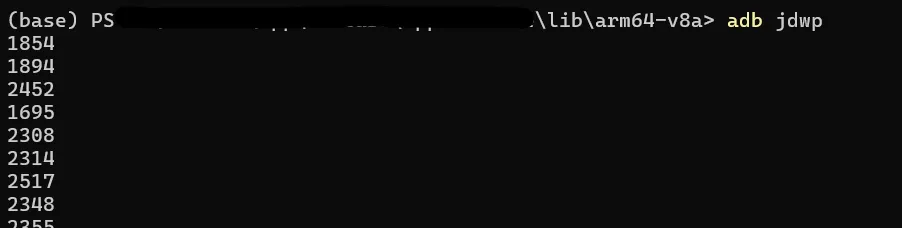
因为新版android studio已去掉ddms功能,这里使用adb jdwp替代

在ida attach中可以看到对应的端口号为4846

使用 adb forward 命令将本地的一个 TCP 端口转发到设备的该 JDWP 进程

adb forward tcp:8700 jdwp:4846

6.jdb附加目标进程调试

jdb -connect com.sun.jdi.SocketAttach:hostname=localhost,port=8700

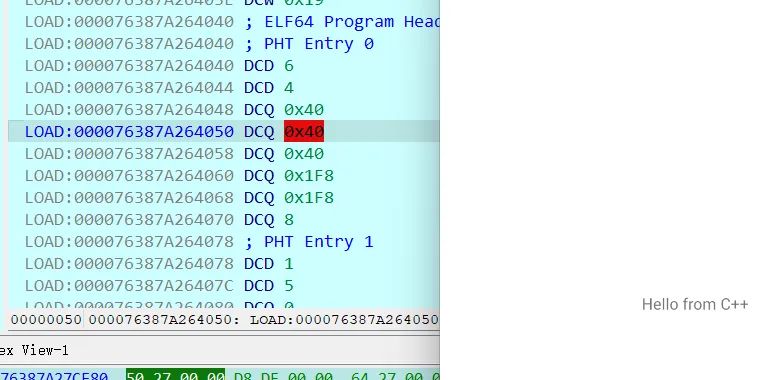
idaf9运行,出现文件路径不一致提醒,同意修改即可

关于jdb操作的疑问

在使用IDA对Android应用中的原生代码(如so库)进行动态调试时,JDB(Java Debugger)这一步的核心作用,是让以“调试模式”启动后暂停的Android应用恢复执行,从而使得IDA能够顺利地附加到目标进程并进行后续的调试操作
JDB在IDA调试Android so库的过程中,扮演的是“唤醒者”的角色。它通过标准的JDWP协议与Android虚拟机通信,解决了应用以调试模式启动后自身暂停执行的问题。没有这一步,IDA就无法附加到一个正在运行的进程,自然也无法进行有效的动态调试。因此,JDB这一步是连接Java层调试意图与原生层调试器(IDA)的关键桥梁。


so文件动调
https://alenirving.github.io/2025/09/19/so文件动调/
作者
Ma5k
许可协议
CC-BY-NC-SA